
Bendy and the ink Machine Planning Tools
Checklists for wall combinations — not executors, not promo codes.
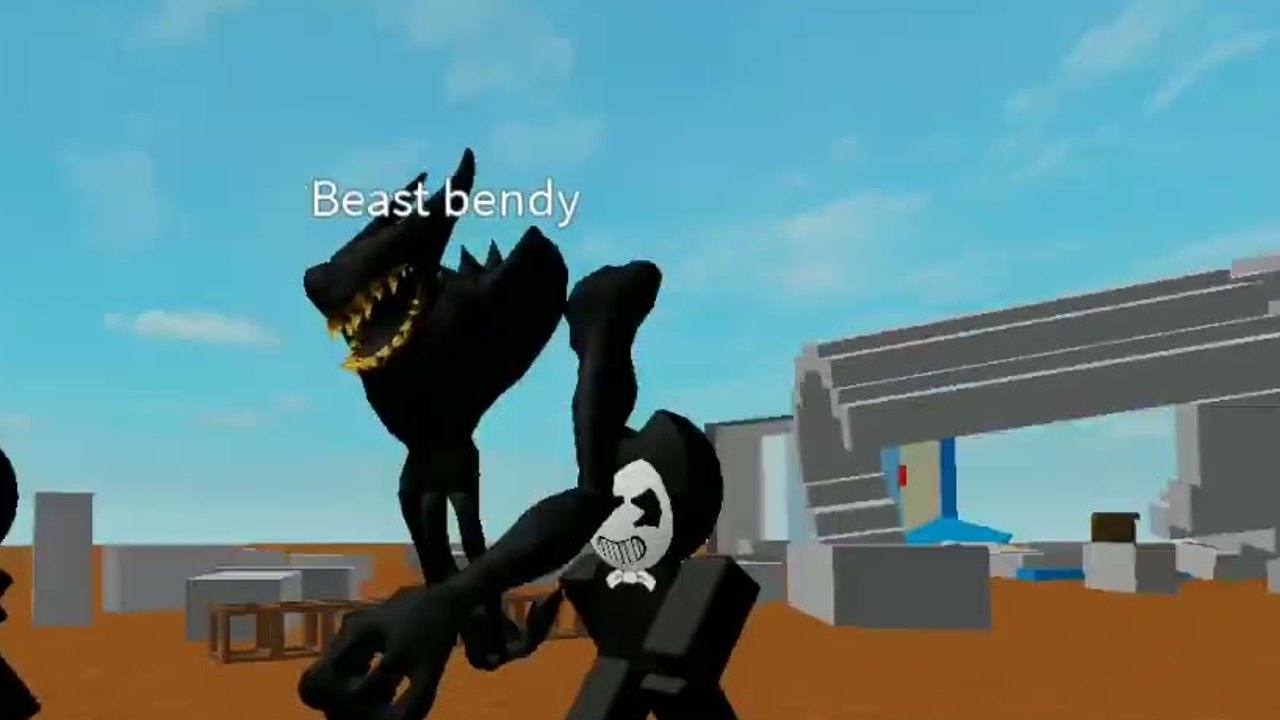
This Tools Hub is for planning Bendy and the ink Machine on Roblox, not for injecting it. Drecktharx’s Fighting battleground (place 4850588087) runs 12-player R6 servers where you collect random weapons and items from walls, keep a combination that actually works, and survive Bendy NPCs — including Beast Bendy — plus other players. The useful “tools” here are checklists: what to hold, what to drop, and which wall cluster to loop next. Executor GUIs live on the Scripts Hub and are against Roblox Terms of Use. Promo strings live on the Codes Hub and currently do not exist.
Start with the loadout planner if you keep dying with a backpack full of junk. Pair it with how to get weapons, the weapons tier, PvP, and survive Bendy. New players should still do Getting Started first so the planner has a map in their head.
Why a planner beats a bigger backpack
The official description is the whole design: get your best weapon combination and collect random weapons and items from the wall. Random means you will be offered pieces that do not fit. Combination means two mediocre tools that cover melee and space are better than one flashy pickup that leaves you naked when Beast Bendy closes. A planner is just that decision, written down, so you do not freeze on a wall while a player swings at you.
Think in slots, not in trophies:
- Melee slot — something that works when a Bendy NPC or a player is already on you.
- Ranged slot — something that peels a lane, chips a camper, or tags a runner before they take your wall.
- Movement / utility slot — whatever the wall gives that lets you rotate, break line of sight, or reset after a bad fight.
If a new pickup does not beat the piece already in that slot, drop the new one — or drop the old one if the new one clearly wins. Standing on a wall hoping for a perfect roll while holding three duplicate melee tools is how 12-player lobbies farm you.
How this hub fits the rest of the wiki
Use the Tier List Hub when you need a current ranking of what is worth keeping. Use Players when you care about lobby roles (aggressor, wall farmer, bait) rather than the tool itself. Use Guides for the live combat advice that a checklist cannot replace: when to disengage from Beast Bendy, when to contest a wall, when to ignore a fight and complete a loop.
Do not confuse this category with script “Tool Control.” That toggle steals or locks pickups. The planner assumes you are playing the released online co-op/PvP client as shipped: you walk, you interact with a wall, you choose. If your issue is “I never see good weapons,” the answer is route density and drop discipline, not an executor.
A short loop you can run tonight
- Spawn and take the first wall that is not already contested. Anything is better than empty hands.
- Fill melee first. You will meet a Bendy NPC before you need a stylish ranged angle.
- Fill ranged or movement second, whichever the next safe wall offers.
- Start a circuit — two to four wall clusters you can see without crossing the most public lane. Revisit after every fight.
- After a death, do not tilt-chase the player who killed you. Restart the circuit. Combinations come from volume of rolls, not from revenge.
The loadout planner expands each of those steps into a checkbox list you can skim between rounds. It is markdown, not an app: no inventory sync, no fake “DPS calculator.” The game does not expose that data, and inventing numbers would be worse than a honest checklist.
What we will not put on this hub
We will not ship a JavaScript loadout builder that pretends to know every wall table. Executor pastebins belong under scripts, not here.
When Drecktharx patches wall pools, slot advice still holds; only the weapons tier ranking should move. Check updates after a patch, then rebuild the circuit.
Frequently Asked Questions
Quick answers about codes, Bendy, wall weapons, and this Roblox battleground.
Is this hub for executor scripts?
No. Executors are documented on the Scripts Hub. This hub is loadout and wall-route planning for the legal client.
Where is the actual checklist?
On the loadout planner. It covers melee, ranged, and movement slots, when to drop a tool, and how to loop walls.
Do I need codes to get better weapons?
No. There are no working codes. Weapons come from walls. See how to get weapons.
Should I keep every wall drop?
No. Duplicate roles waste the combination. Drop the worse piece in a slot. The planner explains the rule; PvP explains when you cannot afford to stand still and sort.
Does the planner work in co-op?
Yes. Online co-op still uses the same slots. Call melee/ranged coverage with teammates instead of three people stacking the same role. Players covers lobby roles.