Bendy and the ink Machine How to Redeem Codes
There is no confirmed redeem box today — here is what to watch and what to do if one ships.
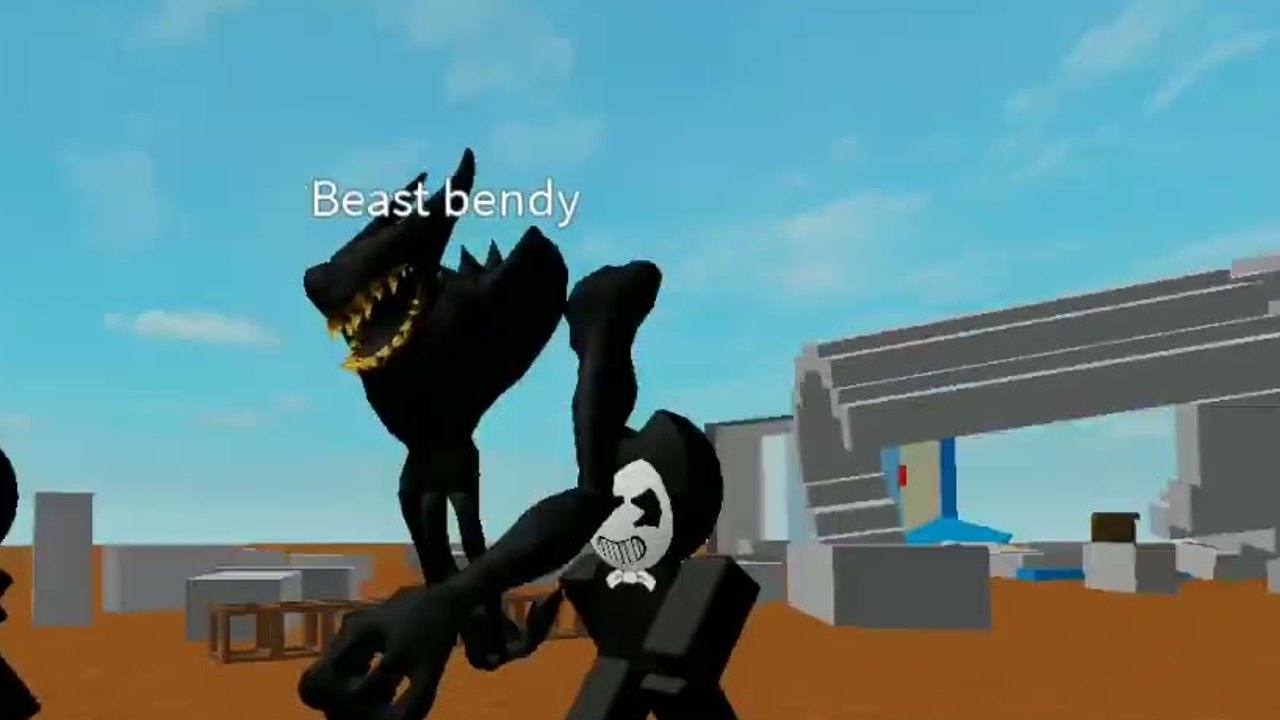
You cannot redeem Bendy and the ink Machine codes on Roblox right now because no in-game code box has been confirmed. Drecktharx’s battleground (place 4850588087) is a released 12-player Fighting experience: you grab random weapons from walls, build combinations, and fight Bendy NPCs plus other players. Promo strings are not part of that loop as of September 2026. This page exists so you do not tap every menu looking for a field that is not there — and so you already know the generic Roblox habits if a patch adds one later.
Start from the Codes Hub for the live status, then keep expired and unverified codes open so rumor lists do not waste your session. Patch context lives on the Updates Hub.
Confirm you are in the right experience
Before you hunt a Codes button, confirm the place. The Roblox title is Bendy and the ink Machine by Drecktharx, universe 1648496580. Fan recreations of the 2017 Steam horror game reuse similar names and have different UIs. If the server is a chapter walker with puzzles instead of wall loot and 12-player PvP, you are in the wrong place. Open the official experience from Roblox, not from a random “codes” thumbnail.
While you are there, read the description. If it still says nothing about codes, there is nothing to type. A real drop would almost always be announced in that description, a group shout, or a developer social post — then mirrored here.
Where Roblox games usually hide a box
If Drecktharx adds a redeem path, it will almost certainly follow one of the patterns other Fighting games use. Check these in order after a patch:
- HUD button labeled Codes, Rewards, or Gift. It may sit next to shop or settings icons rather than in the wall-pickup prompt.
- Settings / Menu. Open the pause or escape menu, then look for a text field. Some experiences bury it under a shop or extras tab.
- Shop or Rewards tab. A Codes input often sits above game-pass rows so it is easy to miss if you only look at paid items.
- Chat commands. Rare on modern experiences, but a
/codeor!redeempattern still appears on older Fighting places. Do not spam chat with rumor strings; it only tells the lobby you are AFK. - Group rewards. Some developers require you to join a group before a box accepts input. Join Drecktharx’s group only from the official profile, never from a third-party “free codes” landing page.
None of those controls are confirmed in the current client. If you cannot find a field after a full menu pass, stop looking and play. Wall weapons matter; a missing text box does not.
Generic redeem steps for the day a box appears
Use this checklist only after this wiki or Drecktharx confirms a live UI:
- Copy the string from the Codes Hub or from Drecktharx’s own post. Do not retype from memory — letter case and numbers fail silently.
- Join a live server. Some Roblox code hooks only fire after the character loads.
- Open the confirmed Codes, Settings, or shop field.
- Paste, submit, then wait for a toast or inventory ping. If nothing happens, leave and rejoin once before assuming the code is dead.
- Check whether the reward is a tool, a cosmetic, or a short buff. A new tool still has to compete with wall rolls; drop it if it duplicates a slot you already filled. The loadout planner covers that decision.
Developer posts on X (Twitter) and Discord, when they exist, usually drop codes in all caps with a short expiry. Copy the token, not the surrounding sentence. Do not click “redeem” links that leave Roblox. A code field lives inside the experience, not on a browser form asking for your password.
What not to do
Do not paste mill-site strings such as DEFEND2023 or INKFALL “just in case.” They are unverified rumors. Do not buy “code packs” from random users. Do not run a script that claims to auto-redeem; that is a cookie-stealer pattern, and executors are covered separately on the Scripts Hub with safety warnings.
Do not confuse a wall prompt with a code prompt. Walls give random weapons and items. You interact, you pick up, you decide whether the new piece improves your combination. That is the economy of this battleground. Codes would be an extra layer on top, not a replacement for Getting Started habits.
How this wiki will tell you a box exists
When a redeem UI is confirmed we will: list the exact menu path on this page, add working strings on the Codes Hub, move dead ones to expired codes, and note the patch on updates. Until that edit lands, assume there is nothing to redeem and spend the server on walls, Bendy pressure, and other players. Official watch links stay on the Links Hub.
Frequently Asked Questions
Quick answers about codes, Bendy, wall weapons, and this Roblox battleground.
Is there a Codes button in Bendy and the ink Machine right now?
No confirmed box exists as of September 2026. Check the Codes Hub after patches. If a field appears, it will likely be in Settings, shop, or a HUD Codes control.
Should I type codes in chat?
Not unless Drecktharx documents a chat command. Chat redeem is uncommon. Pasting rumor strings only marks you as idle. Use a real UI if one ships, as described above.
Where do developers usually post new Roblox codes?
Experience description, group shout, X/Twitter, or Discord. We watch those and the Updates Hub. Ignore mill blogs that recycle DEFEND2023-style rumors.
I joined a group and still cannot redeem anything.
Joining a group does not create a box. This experience has no confirmed redeem path. Play the wall loop instead; see Getting Started.
Can a script redeem codes for me?
Do not use “auto redeem” executors. They often steal cookies. Script risk is covered on the Scripts Hub and script safety pages.