
Bendy and the ink Machine Movement, Jump, and Tool Use
Standard Roblox inputs for wall pickups, combos, and kiting Bendy.
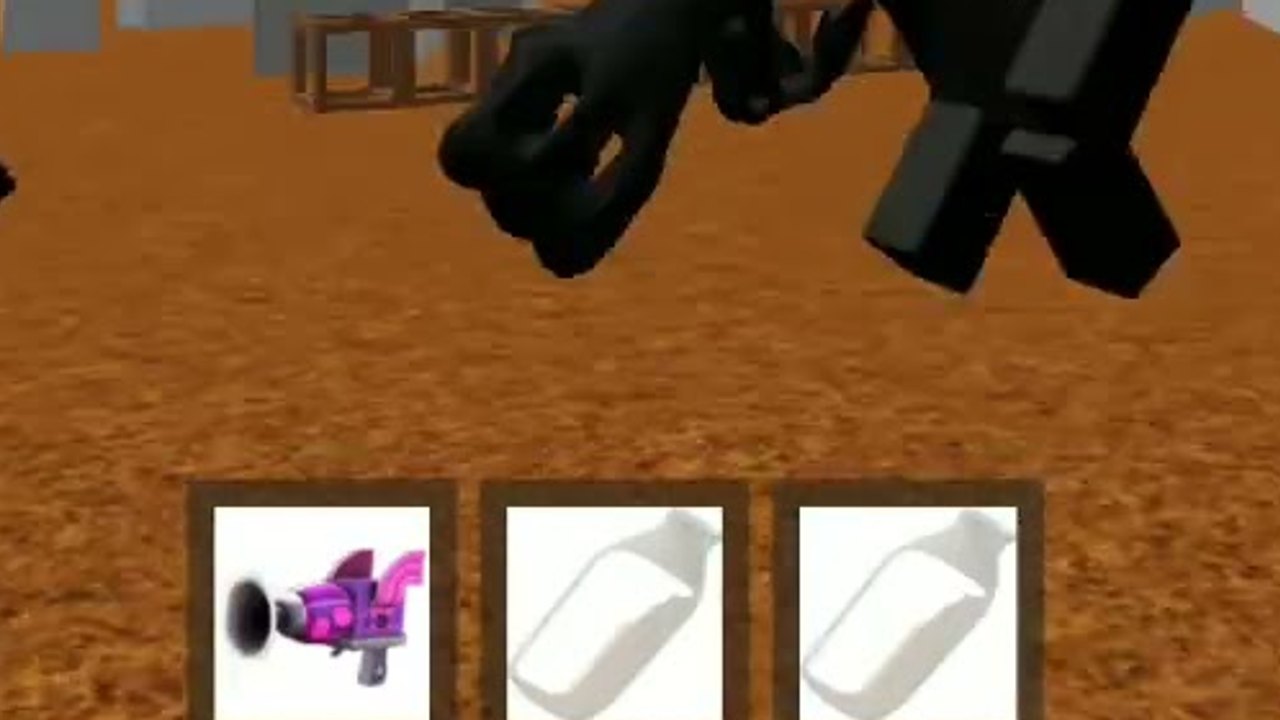
Bendy and the ink Machine on Roblox does not ship a custom fighting-game command list. You move, jump, and use whatever tool is equipped the same way you do in most Roblox experiences. That is enough to win rounds if you never freeze. Deaths in this battleground usually come from opening the backpack in a doorway, missing a jump while Beast Bendy closes, or clicking a wall pickup with the wrong tool still selected. Learn the inputs once, then spend your attention on loot routes and spacing. Pair this page with Getting Started and how to get weapons.
Keyboard and mouse
Move with WASD. Look with the mouse. Jump with Space. Click or tap to use the equipped tool — that is your swing, shot, or item activate, depending on what you pulled off the wall. Number keys 1 through 0 cycle hotbar slots. The backpack is the overflow if you are holding more gears than the hotbar shows. Shift and Ctrl do whatever you have bound in Roblox settings; do not assume a unique sprint or crouch that this experience documents separately.
The important habit is pre-selecting the tool you will need before you enter a hallway. If you are about to grab a wall drop, keep a movement or ranged piece equipped so you can still answer a player who contests the pickup. If you are kiting Bendy, jump on a rhythm instead of holding a direction key into a corner. Space is for changing height and breaking chase lines, not for platform puzzles. There are no chapter parkour rooms here.
When you swap, do it with 1–0 if the gear is already on the hotbar. Opening the backpack is a last resort during PvP. A full inventory screen in a 12-player server is an invitation. Drop or ignore a slow tool rather than scrolling through it while an NPC is on you. If a better wall spawn appears, walk to it with your current tool still ready to click, pick up the new gear, then switch.
Mobile
On a phone or tablet, move with the left stick / thumb pad. The dedicated mobile play page covers landscape, prompt overlap, and the same 12-player servers. Use the on-screen jump button and the use / attack button for the equipped tool. The jump control should sit where your thumb already rests; if you keep missing it, you will die in kites against Beast Bendy. Pickup prompts and tool-use prompts can overlap when you stand too close to a wall mount. Step back a half-second if a click eats the wrong action.
Keep the hotbar visible. Swiping through extra gears mid-chase is worse on mobile than on keyboard. Carry fewer things you actually click. A two-tool combination you can reach without extra menus beats a backpack full of novelty gears. If you play with a friend watching, have them call wall spawns so you do not have to pan the camera off a chase to scan mounts.
Portrait play makes studio corners tighter. Prefer landscape so you can see an NPC enter from the side before you commit to a wall. Camera look is still drag-to-aim; do not invent a lock-on. If your fingers cover the use button, you will think a tool is broken when you simply never fired it.
Gamepad
Left stick moves. Jump and use follow standard Roblox gamepad bindings for your device. The same rule applies: do not hunt a hidden special-move input. This is a wall-loot battleground, not a combo fighter with QTE supers. Bind the face buttons so jump and tool-use never share an awkward chord. If your controller overlay shows extra Roblox menu buttons, keep those off the primary cluster so you do not open settings in a fight.
R6 avatars read clearly in third person; keep the camera far enough to see who is approaching from behind when you grab loot.
Inputs that win rounds
Move while you loot. The pickup is a short walk-up, not a crafting menu. If you must stand still, stand still with an exit already chosen. Jump before you need it: a jump at the moment Beast Bendy fills the screen is late. Use the equipped tool in short bursts so you can still steer. Holding click while WASD is pinned to a wall is how people eat their own knockback into an NPC.
Tool swapping is part of movement. A combination only works if you can fire piece A, then piece B, without a backpack pause. Practice that swap in an empty hallway after spawn, then take it into Survive Bendy routes. If a gear has a charge or a throw, click once, move, click again. Standing in the wind-up is a PvP gift.
Chat is optional. This experience does not rely on voice chat. If you play with friends, type short calls — wall, Bendy, leave — instead of writing essays. Opening a large chat window has the same cost as opening the backpack. The guides hub and loadout planner are for between rounds. During a round, your hands should stay on move, jump, and use.
If an input feels dead, check the obvious things: wrong tool selected, mobile prompt overlap, or a Roblox menu stealing focus. Then respawn and loot again. Once jump and swap are automatic, spend your attention on walls and spacing, not on secret keybinds that are not published.
Frequently Asked Questions
Quick answers about codes, Bendy, wall weapons, and this Roblox battleground.
Is there a unique attack key?
No published unique bind. Click or tap to use the equipped tool, the same as other Roblox gears. See how to get weapons for what those tools actually do in a combo.
How do I switch weapons quickly?
Can I sprint with Shift?
Shift and Ctrl do whatever you bound in Roblox settings. This battleground does not document a special sprint. Focus on WASD, jump, and tool use as described in arena controls.
What about mobile jump and pickup overlapping?
Step a half-step off the wall if the use button eats a pickup or the reverse. Keep jump under your thumb so you can still kite Beast Bendy.
Should I open menus during a round?
No. Plan loadouts between rounds with the loadout planner. In-match, stay on movement and tool keys. Return to Getting Started if you are still dying with empty hands.